Private LAN messenger for VFX & animation studios

Quillo

Chat, files and screen sharing for your studio. Install one server, put the client on every PC, and your whole team can talk, send files of any size and see who reports to whom, without anything leaving your network.

Encrypted (TLS)Files up to 20 GBScreen sharing Studio calendarOrg chart459 stickers
Version 1.14.0 · Windows 10 / 11, 64-bit · Runs on your LAN, no internet or cloud
The Quillo logo: a navy Q with a feather
What it does

Everything a studio says, in one place

Quillo is built for how VFX and animation teams actually work: busy rooms, huge files, shot names, supervisors, dailies and deadlines. Here is what is in version 1.14.0.

Talk

Chat & rooms

  • Direct chats and rooms, plus a room for any department or section you switch on.
  • @mentions for people, @everyone, @here and @Department.
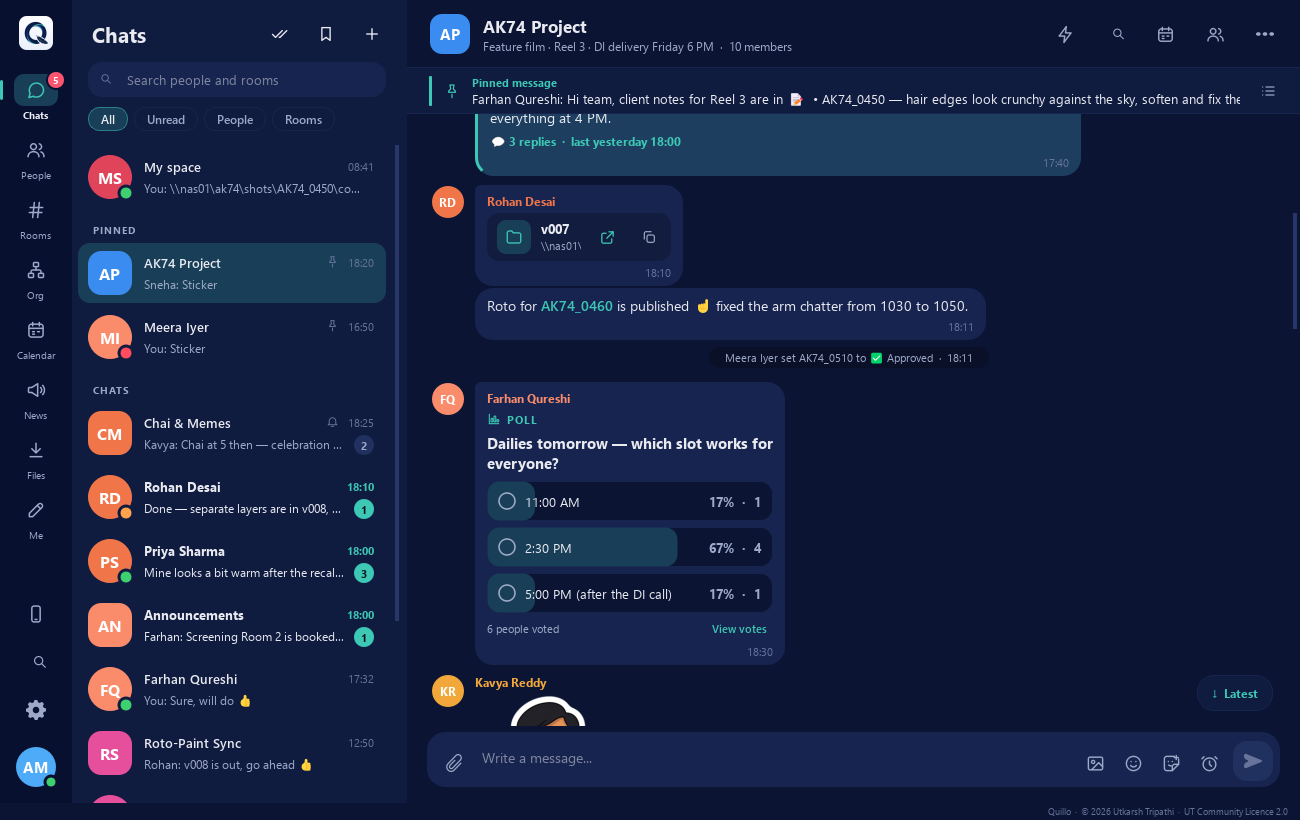
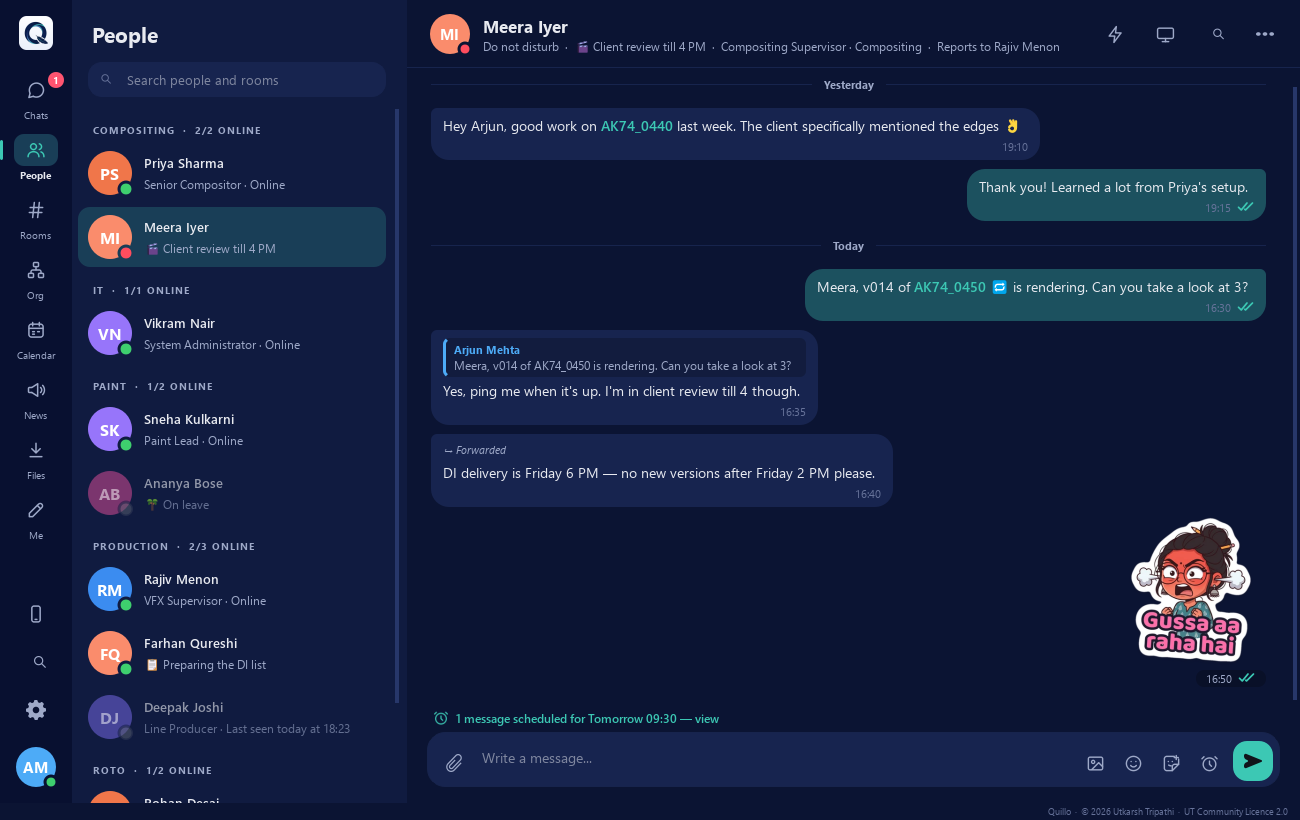
  • Reply, edit, delete, forward and pin; read receipts and "seen by".
  • Announcements to your team, department or the whole studio.
  • Reminders, scheduled messages (type mon 9:30 or in 2h) and Buzz for someone who is busy.
  • Messages typed while the server is away wait and go out when it is back.

Threads, polls & reactions

  • Threads in a side panel, so a long back-and-forth doesn't bury the room.
  • Polls for the everyday "which dailies slot?" questions.
  • Emoji reactions: a thumbs up is quicker than "ok noted".
  • A "New messages" line where you stopped reading, and chats pinned to the top.
  • Search with filters: person, chat, dates, files only.
  • New messages pop up with a box to answer right there; Focus time holds the rest.

Stickers, status & themes

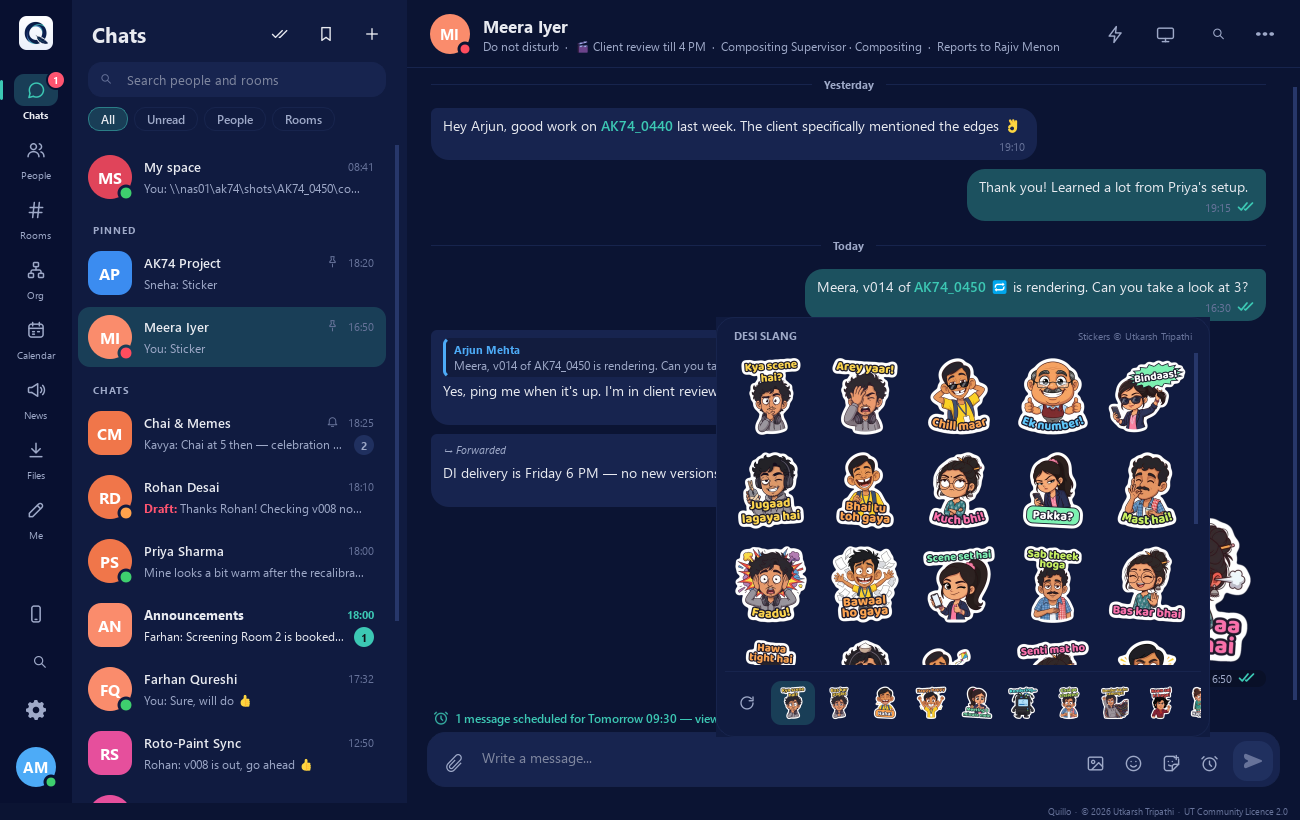
  • 459 stickers in 11 packs, drawn for Quillo: Desi Slang, Reactions, Office, Studio Life, Chai Time, Filmy Dialogues, Festival Icons and more.
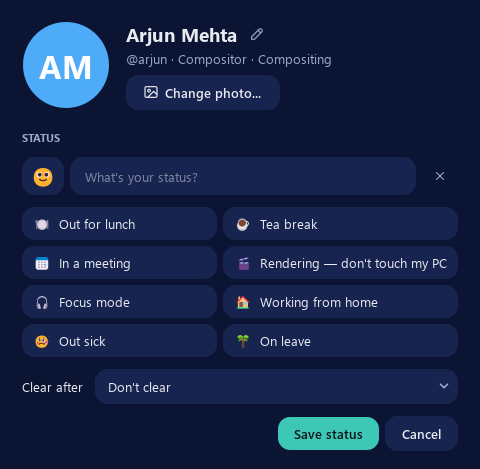
  • Profile photos and a custom status with emoji ("Out for lunch · 1 hour"), plus On leave and In a meeting set for you.
  • Light, dark or follow Windows, with a choice of accent colours and a compact view docked to the side.
  • Festival themes for Independence Day, Republic Day and Christmas.
Work

Files of any size

  • Up to 20 GB per file by default; the admin can raise it to 1 TB.
  • Interrupted uploads carry on from where they stopped, by themselves.
  • Drag and drop, pasted screenshots, and whole folders: image sequences are zipped and unpacked in one click.
  • Files reach people who are offline, too.
  • Pictures show as a gallery with a full-window viewer.

Made for VFX reviews

  • Shot names like FAL_030 link to everything said about the shot.
  • Shot status next to every shot name: WIP, Ready for review, Changes, Approved, Client approved, Delivered.
  • Draw on a frame (pen, arrow, box, text) and compare two versions with a wipe or side by side.
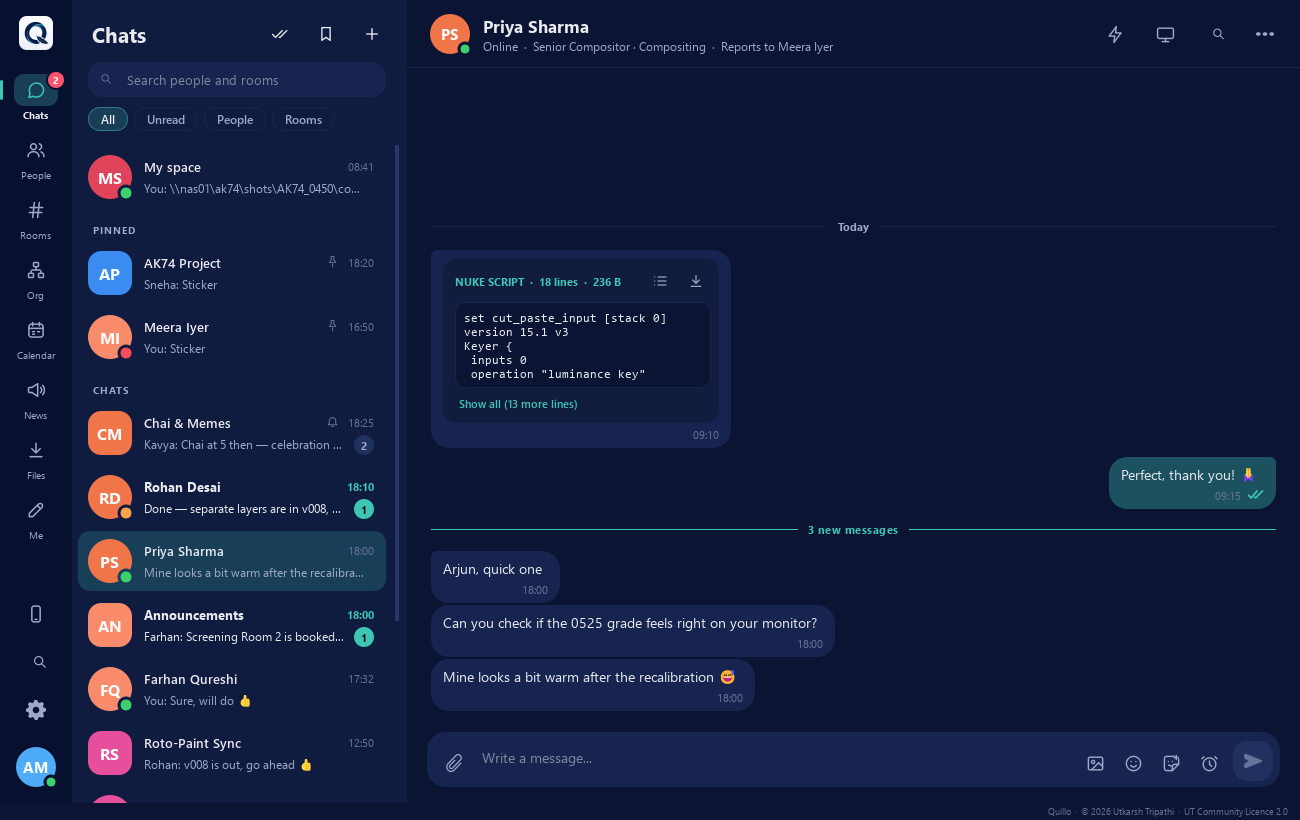
  • Pasted Nuke scripts become a card with Copy and Save as .nk.
  • Folder paths become cards that open in Explorer.
  • A pipeline API lets the render farm message people or rooms.

Screen sharing

  • Share my screen with a colleague, or ask to see theirs.
  • Always needs the consent of the person whose screen is shown.
  • View only: nobody can control your PC.
  • A bar stays on screen while you share, with Stop sharing and a choice of monitor.
  • Runs through your own server, like everything else.
Run the studio

Calendar & leave

  • Meetings with Going / Maybe / Can't go, and repeats (every working day, weekly, monthly).
  • Deadlines, notes of the day and a calendar per room.
  • Leave: the team sees you're away (not why), with an optional automatic reply.
  • Birthdays, work anniversaries and India's holidays up to 2035.
  • .ics import from Outlook or Google.

Org chart & people

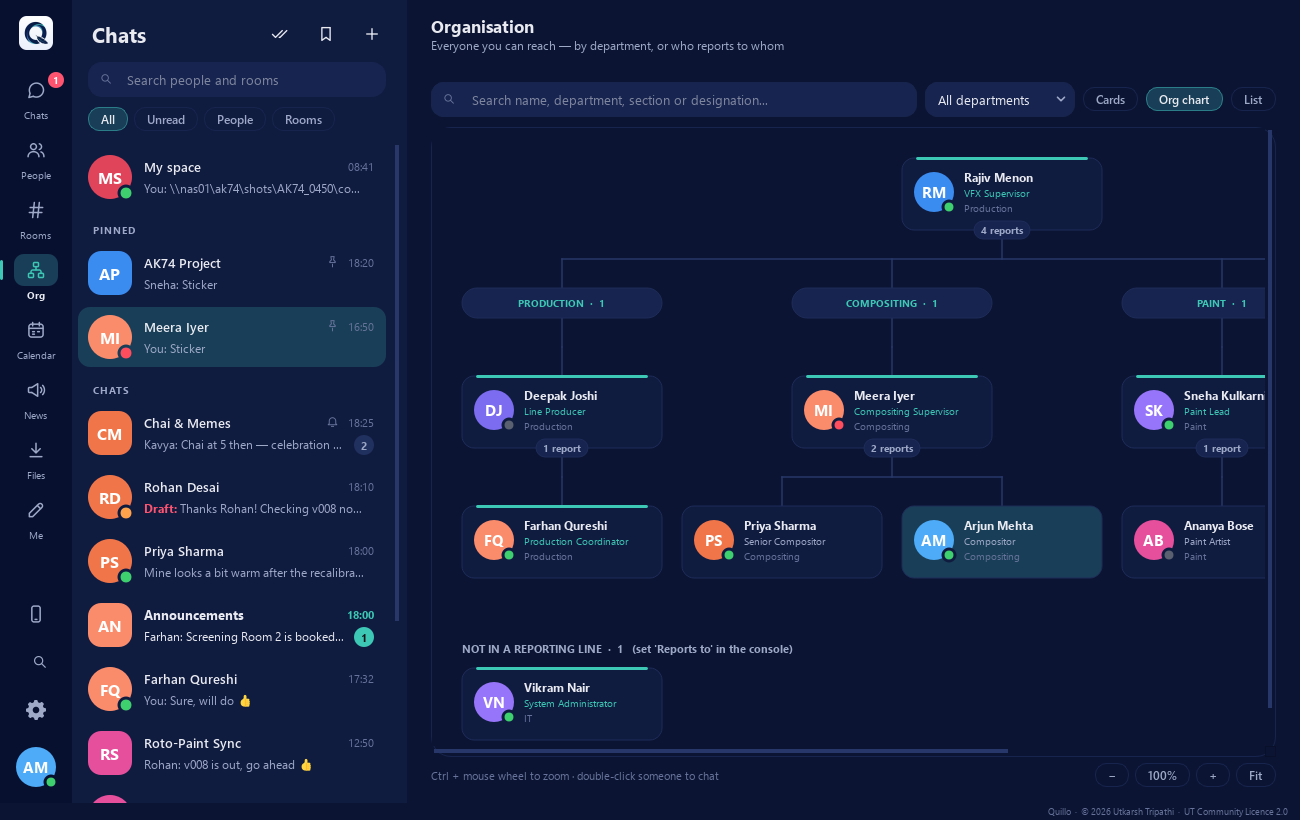
  • Departments, sections, designations and reporting lines.
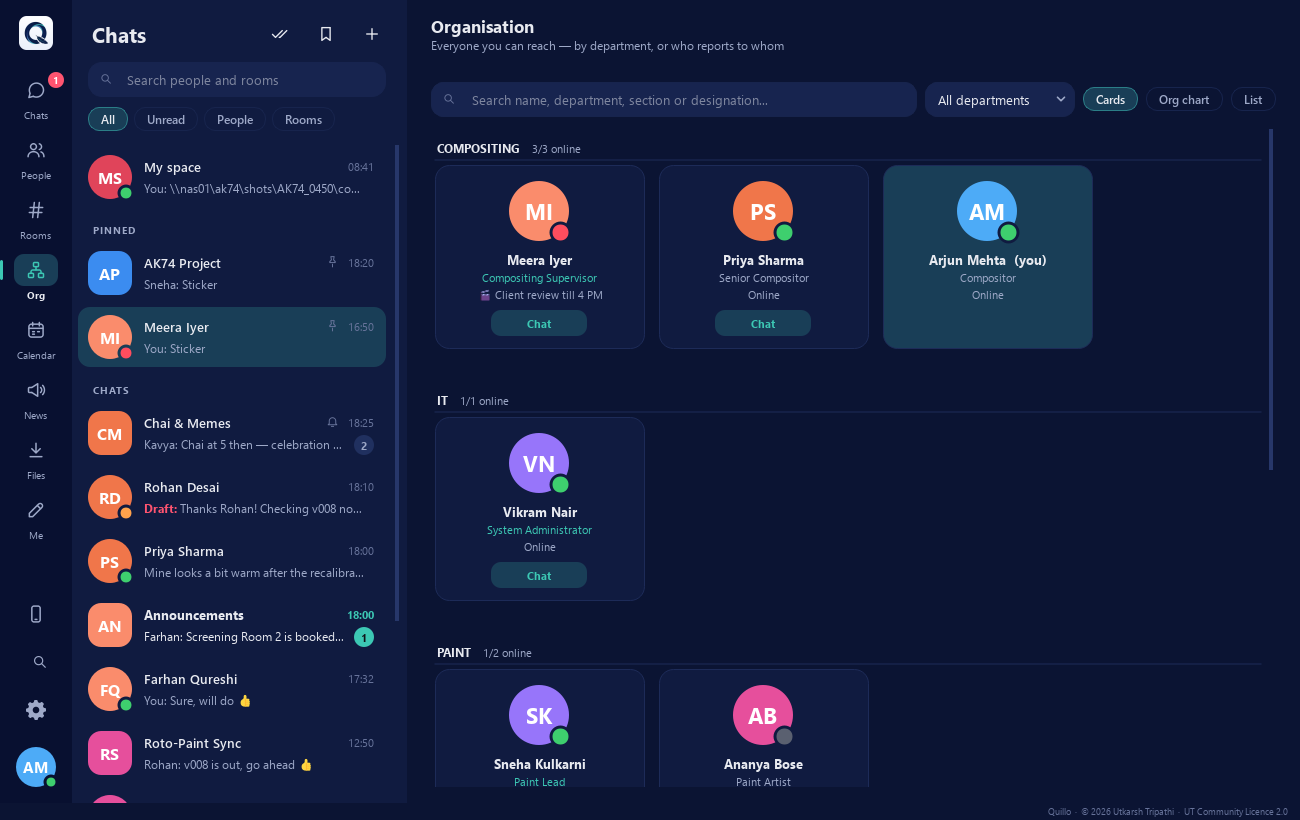
  • The Organisation page shows everyone as cards, a zoomable org chart or a list.
  • Designations carry permissions: who can announce, create rooms or reset passwords.
  • Fill the whole studio in a styled Excel sheet and import it.

Server console

  • Users, departments, designations, rooms, holidays and settings in one window.
  • Reports, storage per person and chat, and an audit log of every admin action.
  • Publish a client update and see who is still behind.
  • Runs as a Windows service, or in the tray with no admin rights.
  • Nightly backups and a readable chat backup in a central folder on your file server.
Private by design

Nothing leaves your network

Quillo has no cloud and needs no internet. Every message and file goes between your PCs and your own server, on your own LAN.

  • Encrypted with TLS. Each PC remembers the server's fingerprint and won't send a password to an impostor.
  • Admins can't read your chats in Quillo.
  • Password rules and lock-out after 5 wrong tries; remembered passwords are encrypted by Windows.
  • Links to unknown computers ask first, and programs are never started from a chat.
  • Audit log of users, rooms, settings and password resets.
  • Your data, your disks: the database stays on the server PC, backups on your file server.
A look inside

The app

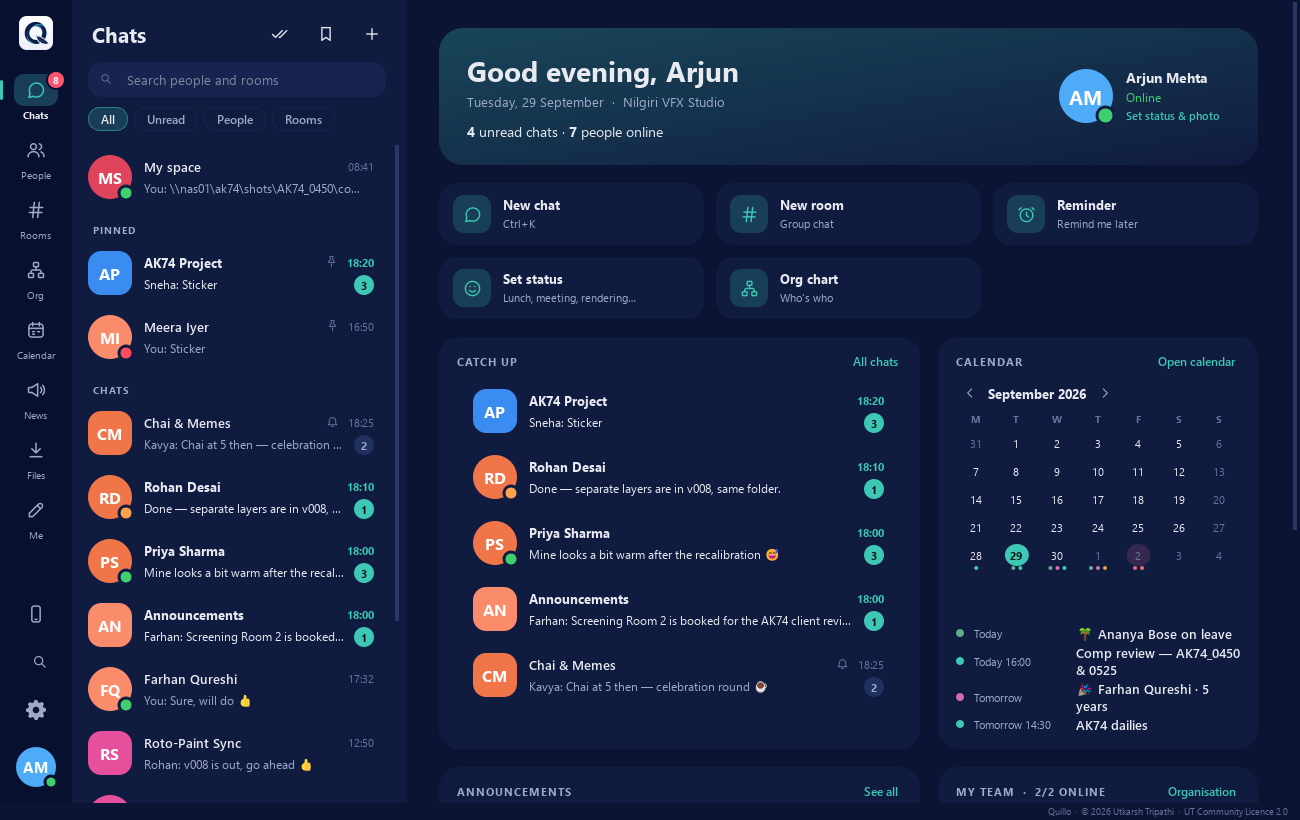
Chats and rooms on the left, the conversation or page on the right, and a rail for People, Rooms, the org chart, news and files.

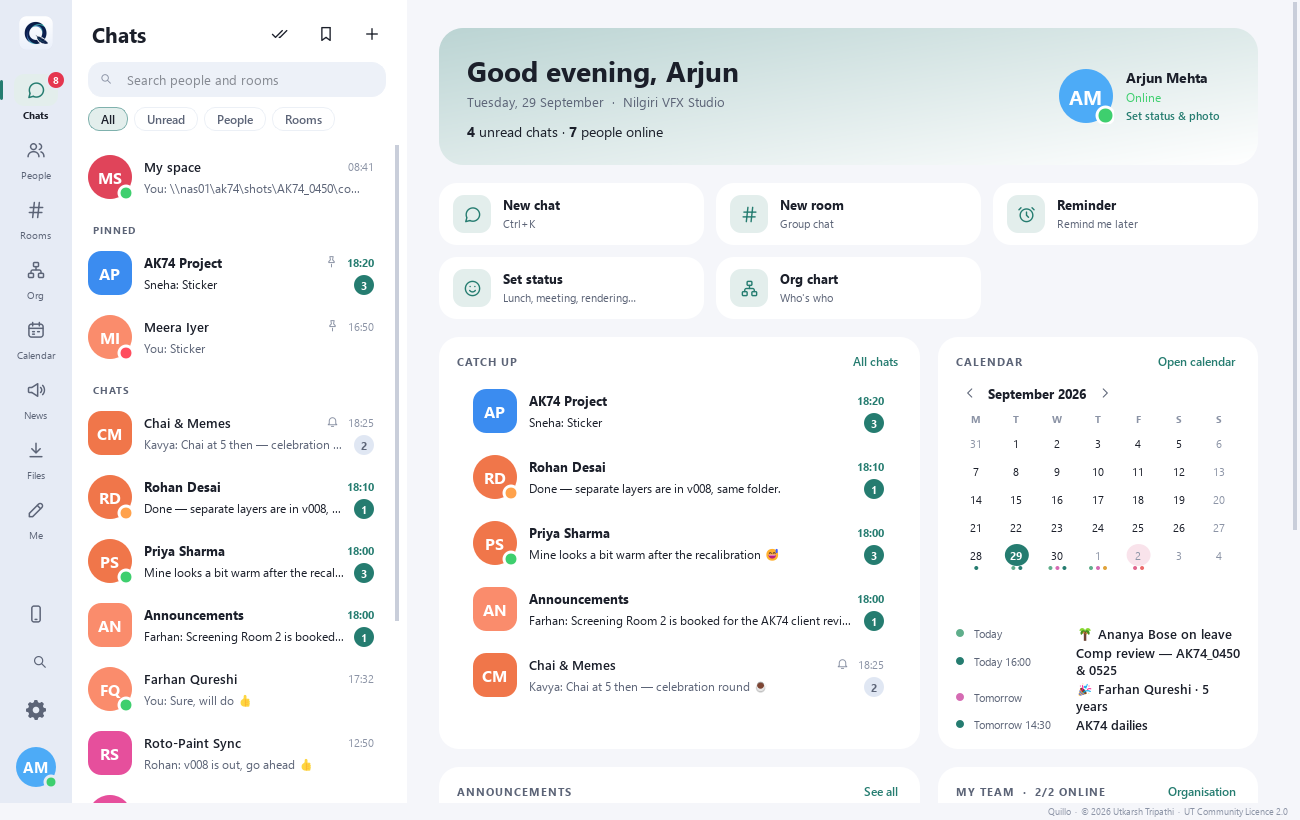
The Home page: a greeting, quick actions, chats to catch up on, the calendar and your team
Home. Catch up on unread chats, see announcements and who in your team is online.
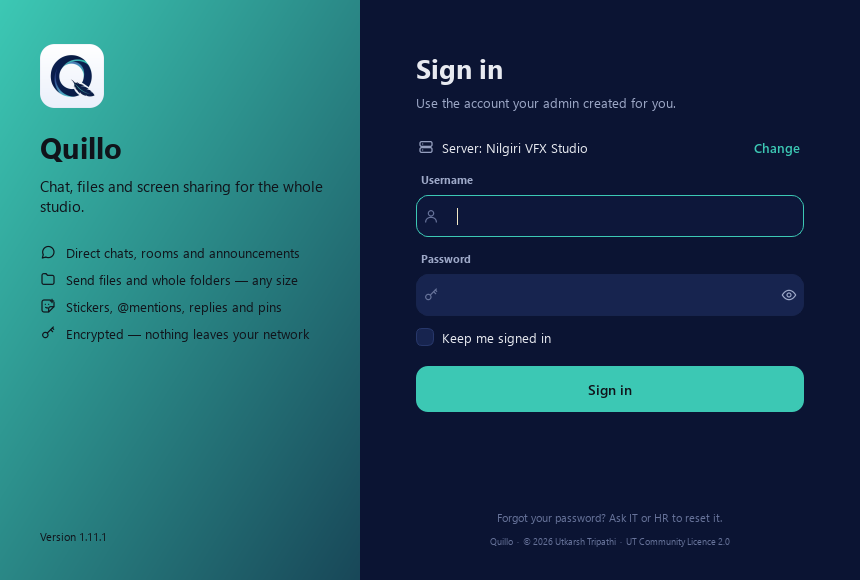
The sign-in window, which finds the server on the network by itself
Sign in. Quillo finds the server on the network by itself.
The sticker picker with Quillo's own sticker packs
Stickers. 459 of them in 11 packs, made for Quillo.
The profile window with photo and quick status choices
Status. One click for "Rendering, don't touch my PC".
How it works

One server, a client on every PC

One always-on PC runs the Quillo server. Every artist PC runs the client, which finds the server on the network by itself. Nothing goes to the internet.

Every PC

Quillo client

Chat, files, calendar, screen sharing. Install "just for me" without admin rights.

One always-on PC

Quillo server

Accounts, rooms and messages in its own database, plus the server console. A small workstation or a VM is plenty.

Your file server

Central folder

Shared files, a copy of the database, the readable chat backup, the user list and nightly backups.

01Install the serverOn one always-on PC. It makes its own security certificate.
02Add your studioDepartments, designations and people, one by one or from an Excel sheet.
03Install the clientsOn every PC. Each one finds the server with a quick broadcast on the LAN.
04Sign in and talkPeople sign in with the account you made for them. That's it.
PortWhat it carries
TCP 5150Chat, files, screen sharing and the console, encrypted with TLS.
UDP 5151Automatic server discovery on the LAN.
TCP 5152Pipeline API for the render farm, only when you switch it on.

Load-tested for a whole studio

With 500 people online at once, all 500 signed in within 2 seconds and about 390,000 messages were delivered with none lost, typically in 3 to 40 ms. The server used about 460 MB of memory.

PCs on a different subnet or VLAN can't hear the broadcast; just type the server's address once.

What it needs

Requirements

Everything Quillo needs is inside the two installers. There is nothing else to install, and Quillo never needs the internet.

Windows

Windows 10 or 11, 64-bit, for both the server and the clients.

Server PC

One PC that stays on, or a VM. The database must be on a local disk of that PC.

Network

Your studio LAN. The server needs TCP 5150 and UDP 5151 open; its installer can add the firewall rule.

Storage

Room for shared files, ideally a \\server\share on your file server. You decide how long files are kept.

Get it

Download and install

There are two installers on the Releases page: the server goes on one machine first, then the client goes on every PC.

  1. Install the server on one always-on PC. Run Quillo-Server-Setup. Install for me only needs no administrator and runs in the tray; Install for all users can add the firewall rule and a background service that runs with nobody signed in.
  2. Choose where to keep the data. Keep the database on the server PC's own disk, and point the shared files at your file server (\\server\share\...) so everything a new server PC would need is kept there too.
  3. Open the Quillo Server console from the Start menu, sign in as admin / admin and choose a new password straight away. Add departments and people, or import them from the Excel template.
  4. Install the client on every PC. Run Quillo-Client-Setup and leave the server address empty: it finds the server by itself. People sign in with the account you made for them.

Go to releases Admin & IT guide

Quillo-Server-Setup-1.14.0.exeonce, on the server PC
Quillo-Client-Setup-1.14.0.exeon every PC
Windows Firewall. Other PCs can only connect once the server is allowed through. The all users setup does it for you. With just for me, Windows asks to Allow access the first time (an administrator approves it once), or IT opens TCP 5150 and UDP 5151. Running a portable copy of the server instead? firewall_setup.bat, run as administrator, opens the ports.
Updating. Server first, then the PCs: in the console, Updates → Publish client update, and every signed-in PC is offered the new version. Nothing is lost.

Installing for a whole floor? The client setup runs silently for GPO, PDQ Deploy or a login script:

Quillo-Client-Setup-1.14.0.exe /VERYSILENT /SUPPRESSMSGBOXES /NORESTART /ALLUSERS

Add /SERVER=192.168.1.10 only for PCs on another subnet.

Licence

Free for studios. Not for sale.

Quillo is released by Utkarsh Tripathi under the UT Community Licence 2.0. In plain words:

Free to use

On any number of PCs, at home or across a whole studio, including paid client work. What you make with it is yours.

Free to share

Give unchanged copies to others, free of charge, with the credits.

Not for sale

Nobody may sell, rent or charge for Quillo or a changed copy of it.

Changes come back

Change it if you like: call it Quillo (modified by …) and send your changes as a pull request within 30 days.

Keep the licence, the Credits screen and the credit line at the bottom of the windows; Quillo won't start without them. This is a source-available licence, not an OSI open-source one. Read the full licence; questions to capsuleutkarsh@gmail.com.

Stickers © Utkarsh Tripathi, made for Quillo. Quillo is built on Python, Qt / PySide6, cryptography, OpenSSL and openpyxl, which keep their own licences (see third-party notices).

Quillo · © 2026 Utkarsh Tripathi · UT Community Licence 2.0